Mobile App, Productivity
Count Artisan 匠: Tally Counter
Ultimate Multi-Counter: Precision Tally with Real-Time History & Custom Workflows
Watch Count Artisan 匠: Tally Counter demo
About Count Artisan 匠: Tally Counter
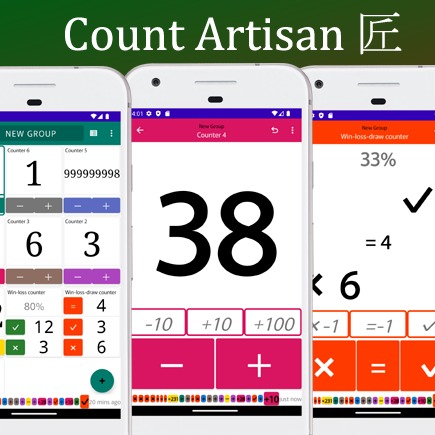
Never wonder "Did I just count that?" ever again. We’ve all been there—clicking a counter and immediately doubting if the increment actually happened. While many apps offer history logs, "Count Artisan 匠" changes the game by displaying your recent activity and timestamps directly on the counting screen in real-time. No need to switch tabs or open menus. You can see exactly when and what you counted at a glance, supporting high-precision tracking for users who need to minimize errors.
From complex inventory management to fast-paced sports scoring and fitness tracking, this is the only tally tool you’ll ever need.
Who is Count Artisan 匠: Tally Counter for?
Perfect for: - Precision Seekers: Users who need to verify every single increment via the on-screen history summary. - Multi-Taskers: People who need to track different metrics simultaneously—like counting specific sports techniques while managing the overall match score and win rate. - Data-Driven Users: Those who need timestamps and CSV exports for inventory, scientific observations, or habit tracking.
How does Count Artisan 匠: Tally Counter work?
Step 1: Choose your counter type – Select from simple tallies, win-loss trackers, or 1v1 scoreboards to fit your needs. Step 2: Count effortlessly – Tap the screen or press the volume keys to update counts in real time. Step 3: Track accurately – Review your live history on the counting screen to catch and correct mistakes instantly.