SaaS, Design, Productivity
Screentell
Turn screen recordings into studio-quality product demos and tutorials.
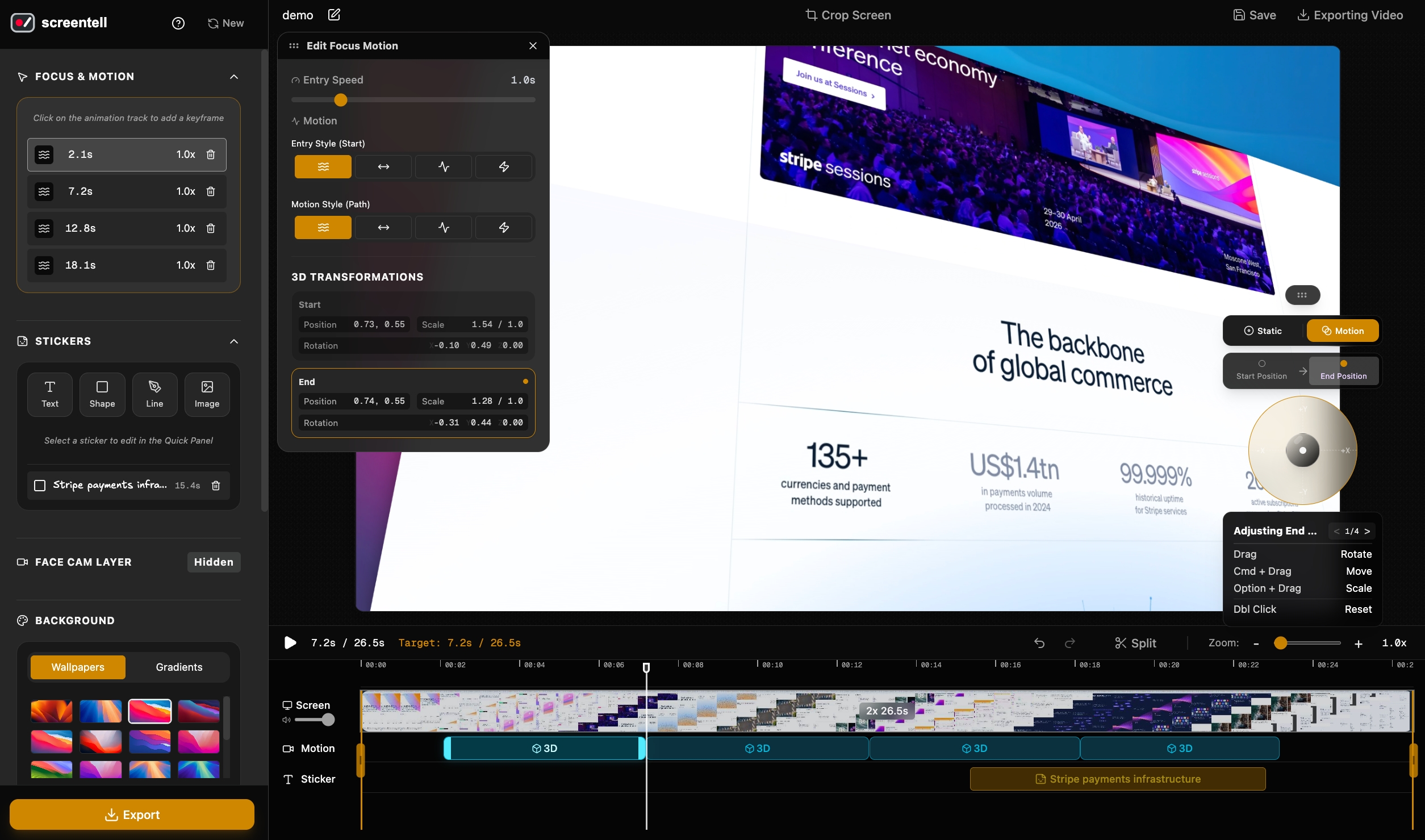
About Screentell
Screentell captures your screen and webcam to produce professional-grade product walkthroughs and video guides. Operating entirely within the browser, it lets you apply cinematic 3D transforms, add smooth focus zooms, crop out messy UI elements, and overlay hand-drawn annotations. The multi-track editor offers split-clip adjustments, custom playback speeds, and customizable camera bubbles, producing high-definition video exports without requiring complex desktop software.
Who is Screentell for?
Creators, product managers, and software founders who previously relied on flat, uninspiring screen captures or struggled with overly complex desktop video editors. Instead of wrestling with keyframes just to highlight a feature or wasting hours trying to overlay face cams and annotations in heavy production software, users can now quickly build polished demo videos that actually capture their viewers' attention.
How does Screentell work?
First, select the specific browser tab or desktop window to record along with your webcam and microphone feed. Next, use the timeline editor to split clips, adjust playback speeds, add cinematic 3D angles, apply focus zooms, and layer custom background paddings or annotation stickers. Finally, preview your masterwork and render the project locally into standard HD video formats like MP4, WebM, or GIF.