AI, Productivity, Developer Tool
Humla
Free and local AI meeting notes Mac app, open source
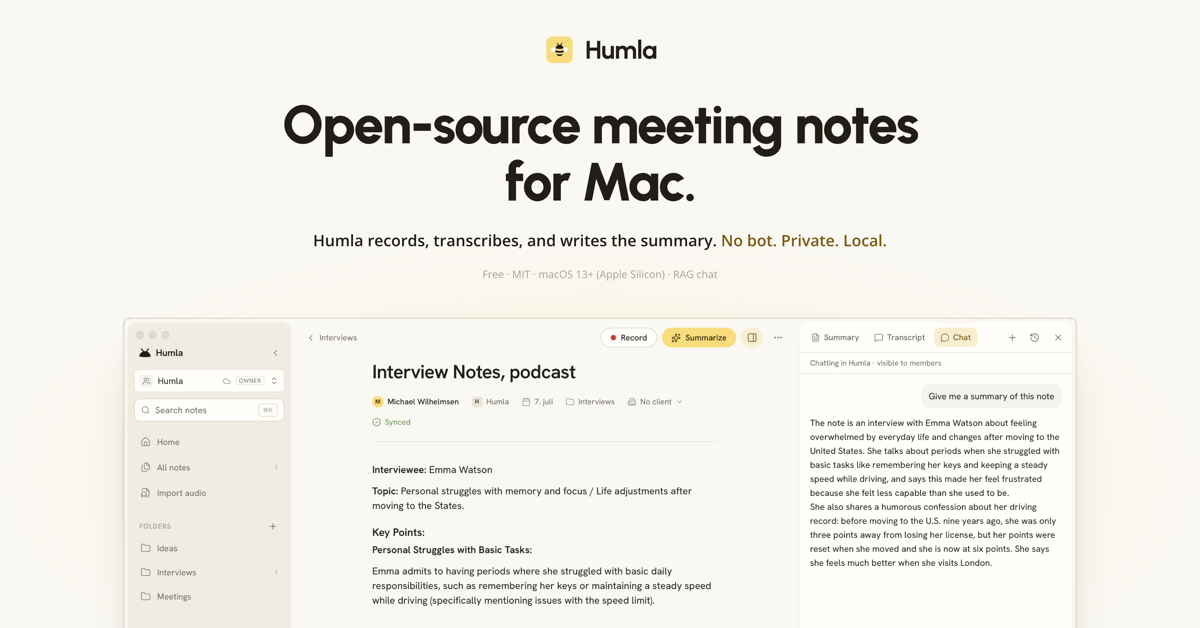
About Humla
Humla is a meeting-notes app for Mac. You type freeform notes during a meeting while it records your mic and system audio in parallel, transcribes both, identifies who said what, and writes an AI summary that fuses your notes with the transcript.
It is built for people who want this without a SaaS in the middle. Everything lives in a local SQLite database on your Mac. Transcription and summaries run on-device with Whisper and a local LLM, or through your own API keys (OpenAI, Deepgram, Groq). No account, no subscription, no upload of your meetings to someone else's server.
Who is Humla for?
Developers, consultants and small-team leads on Mac who already use Granola or Otter but are uneasy about every client call being uploaded to a third party, or who work in a language the mainstream tools handle badly. Many are still doing it the manual way: scribbling notes during the call, then rewriting them from memory afterwards and losing half of what was decided. Also people at agencies and law or health-adjacent firms who legally can't send recordings to a cloud service, and want the same
How does Humla work?
1. Open a note and hit record. Humla captures your microphone and your Mac's system audio as two separate streams, so remote calls and in-person meetings both work without any bot joining the call.
2. Type whatever you want while it runs. Transcription happens live in the background, chunk by chunk, with speaker identification applied when you stop.
3. Press Summarize. The model gets your typed notes and the transcript side by side and produces a summary in your chosen format (meeting, 1:1, in