Developer Tool, Productivity
ClearJSON
A trustworthy, local-first JSON viewer and developer extension with zero tracking.
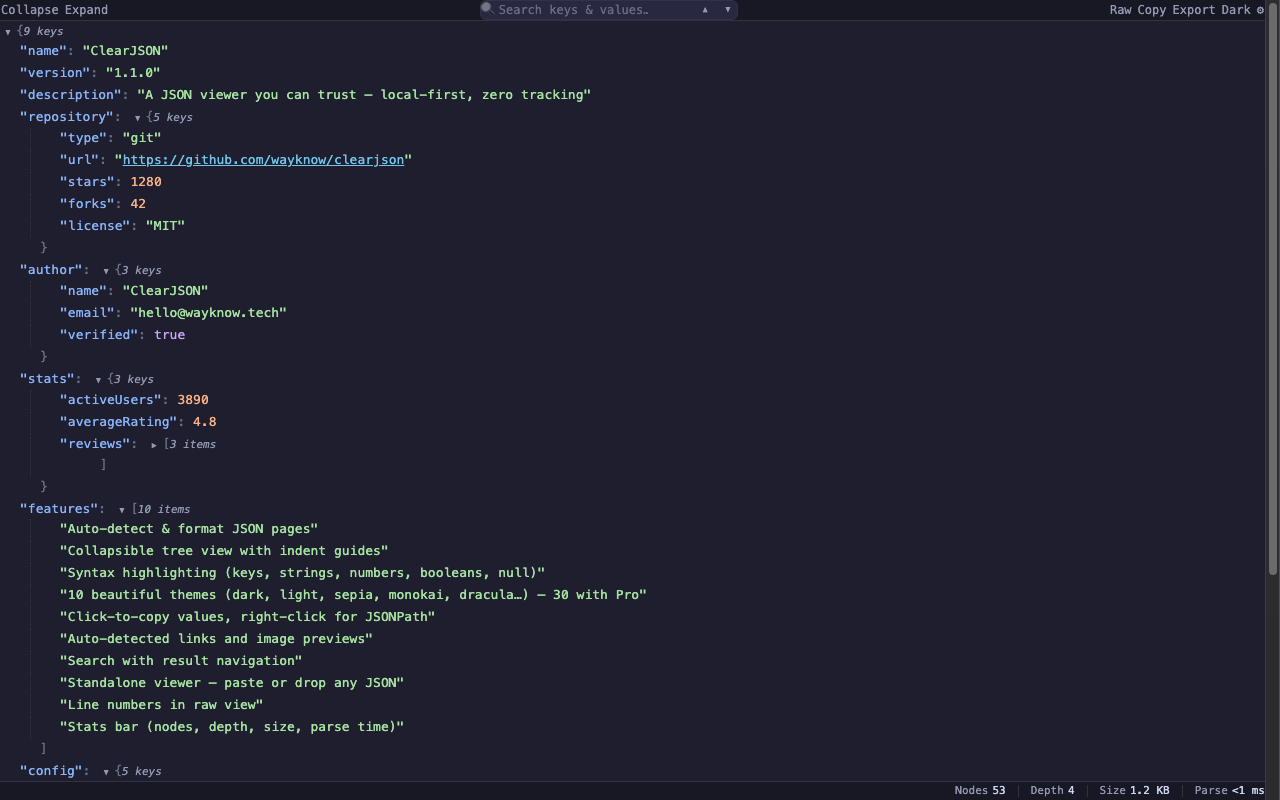
About ClearJSON
ClearJSON formats, navigates, and inspects JSON structures directly inside the browser or through a local viewer without sending data anywhere. Built local-first with zero tracking, it automatically formats raw JSON payloads into expandable tree views with syntax highlighting, line numbers, and inline previews. Built-in tools allow developers to decode JWT tokens, execute regex searches, virtualize rendering for massive files, and export data into structures like CSV, YAML, or TypeScript interfaces.
Who is ClearJSON for?
Software engineers, backend developers, and API integrators who routinely inspect payload responses and debug data structures. Before ClearJSON, users relied on legacy browser extensions that were acquired, closed-sourced, and turned into ad-injecting tracking tools, or free online formatters that freeze and crash when opening larger payloads.
How does ClearJSON work?
Install the extension for Chrome or Edge, or launch the standalone local viewer. Open any raw JSON page in the browser, paste raw payload text, or drag and drop a data file directly into the interface. Expand structured nodes, copy JSONPath locations, decode JWT strings inline, or convert the entire output into alternative formats.