Productivity, AI
AnyFileKit Picture Translator
Translate the text in any picture, drawn back over the original
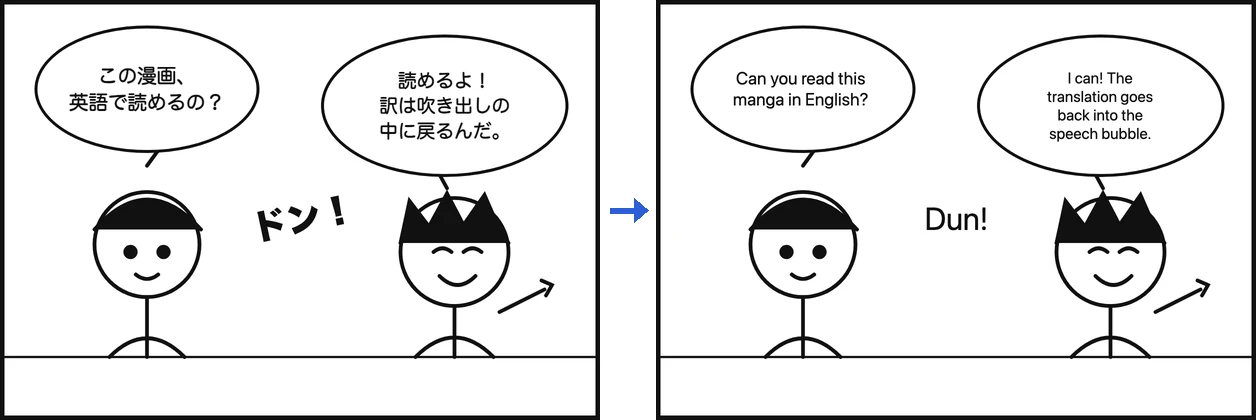
About AnyFileKit Picture Translator
AnyFileKit Picture Translator reads the text in a screenshot, photo, manga page or scanned page, translates it into English or about 60 other languages, and paints each translation over the area where the original text was. You get a PNG at the original size, with no account and no watermark. AI mode reads the whole picture in context; Fast mode recognizes text in your browser so the image stays on your device.
Who is AnyFileKit Picture Translator for?
People who get a screenshot, menu, sign, manga page or scanned document in a language they cannot read, and want to read or share it with the layout intact instead of copying text into a translator line by line.
How does AnyFileKit Picture Translator work?
1. Drop in a picture and pick the language you want. 2. Press Start; AI mode takes about 20 seconds. 3. Download the translated PNG, or read the original and the translation side by side.